![tln-performance-1.png]](https://support.learning.net/hs-fs/hubfs/tln-performance-1.png?height=40&name=tln-performance-1.png)
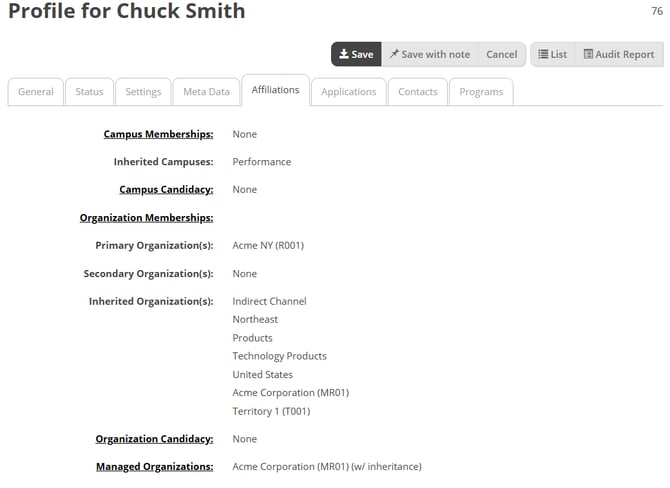
This tab displays what Organizations the user belongs to and what Organizations they manage.
- Campus Memberships – What campus the user is directly mapped to. This will likely be None, as most mappings are handled through organizations
- Inherited Campuses – What campus access the user is inheriting through assigned organizations
- Campus Candidacy – What campus the user is a candidate for. This is not widely used.
- Organization Memberships:
-
- Primary Organization(s) – The user’s primary organization
-
- Secondary Organization(s) – The user’s secondary organizations
-
- Inherited Organization(s) – Any organizations the user is inheriting by being assigned to their primary or secondary organizations
- Organization Candidacy – What organizations the user is a candidate for. This is not widely used.
- Managed Organizations – Organizations listed here define who they can manage, for example, which users’ training they can assign, manage, or report on.
- Administered Organizations – Organizations listed here allow the user to create, edit, and remove users within those organizations